

Workflow Automation
Connect triggers, approvals and exception handling for repeatable team processes.
Meet Workflow Automation.
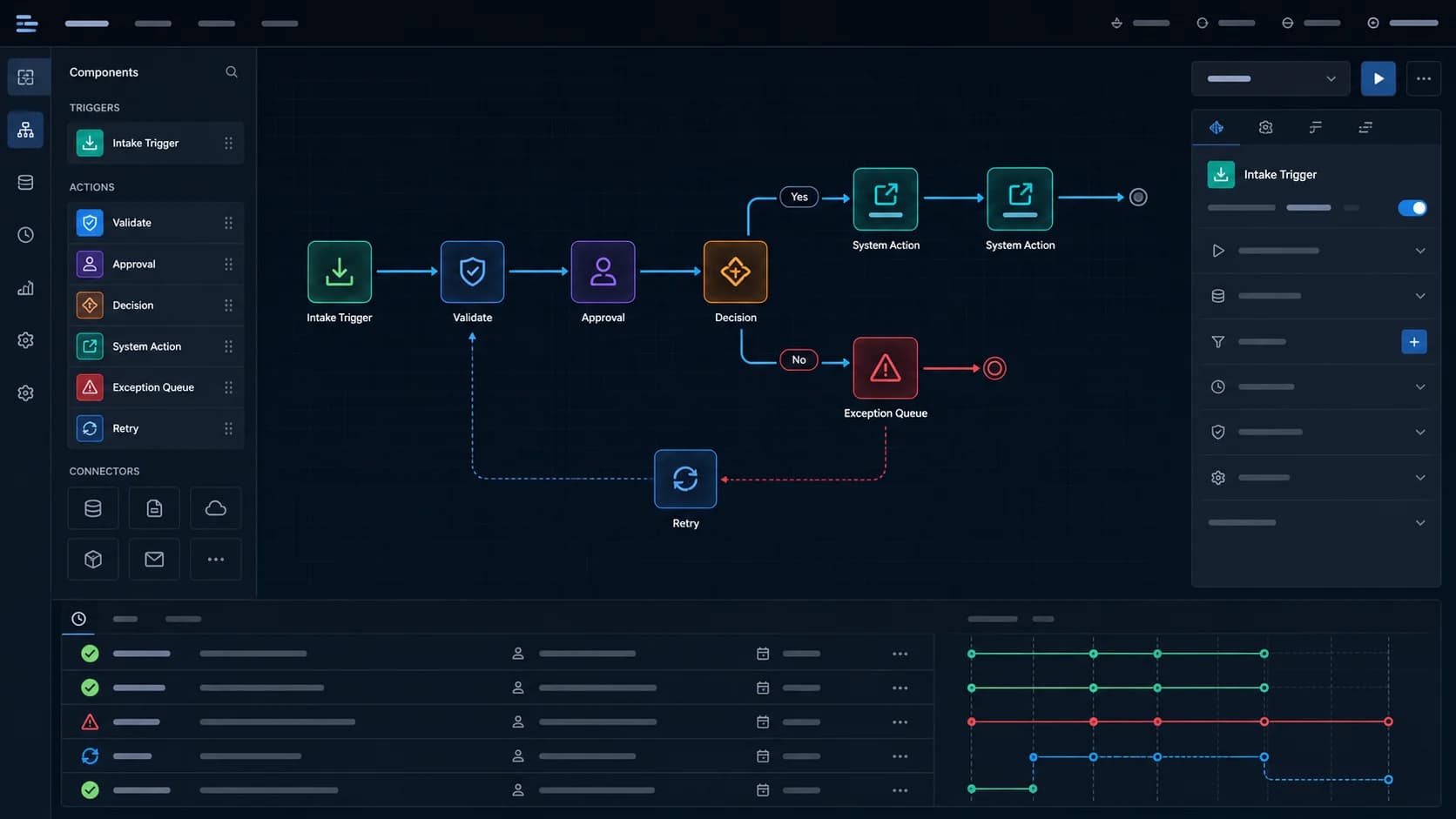
Workflow Automation turns recurring handoffs into defined steps with triggers, actions and responsible owners. Approval controls, retry queues and cycle-time reporting help teams see where work is moving and where an exception requires attention.
Who it is for
Operations teams removing repetitive handoffs
See how Workflow Automation could work.
What happens today
For Workflow Automation: How much repetitive work can move without losing control?
SAMPLE DATASample scenario: Define a trusted event that starts the workflow.
Example result
Explore the example to inspect a prepared output using fictional data.
Example data. Available features and fields are confirmed for your project.How it fits your work
- 01
Define a trusted event that starts the workflow.
- 02
Automate routine actions while preserving ownership.
- 03
Route exceptions into a visible resolution queue.
Capabilities to explore
- Cross-system triggers and actions
- Approval and ownership controls
- Exception and retry queues
- Cycle-time and volume reporting
Questions about Workflow Automation
Who is Workflow Automation for?
Operations teams removing repetitive handoffs
How do I get access?
Ask our team about current access to Workflow Automation. Visiting the website does not create an account or activate a subscription.
What does it cost and include?
We prepare a quote around users, locations and scope. The proposal confirms currency, implementation, support, taxes and validity.
Can it be adapted or connected to my tools?
Tell us about your process and current tools. We confirm available features and integrations before agreeing the project; suite modules are not included or integrated by default.
Can I use my existing data, and when can we start?
We review your data format and permissions, users and required preparation. Import options, responsibilities and a schedule are agreed after that review.